

Simple. Powerful. Private.
Start Recording
Click record when your meeting begins. Arrowz AI captures audio from your microphone and system—no configuration needed.
Watch It Transcribe
See your meeting transcribed in real-time. Ask questions, get summaries, and identify action items as the conversation unfolds.
Search & Act
Every meeting is automatically saved and searchable. Find insights, review decisions, and turn conversations into action.
Everything You Need in One Intelligent Assistant.
Powerful Features for Every Meeting
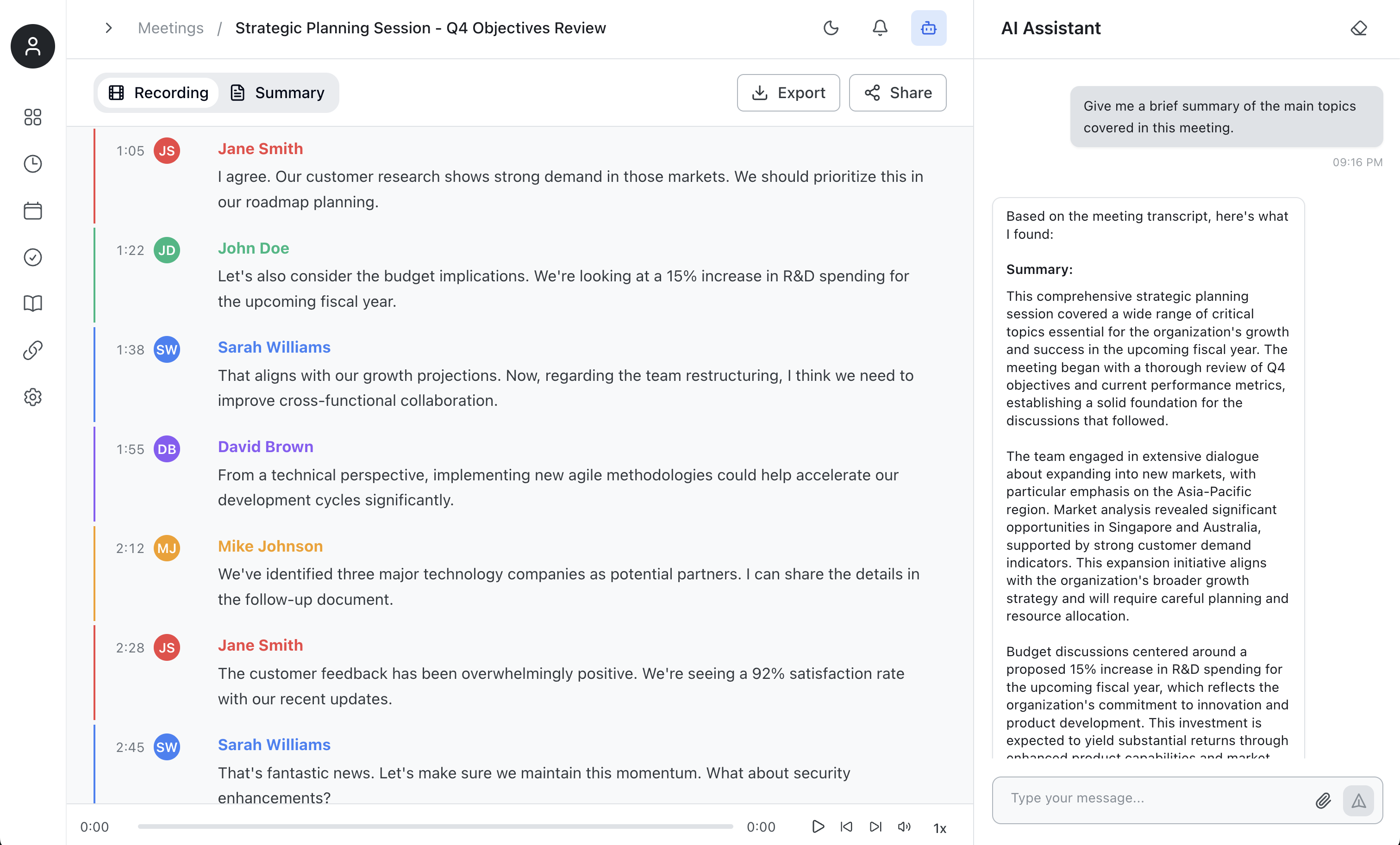
Review and Search Your Meetings
Access your complete meeting history with full transcripts, speaker identification, and timestamps. Use the AI Assistant to get instant summaries, search for specific topics, and extract key insights from any past meeting. Everything is automatically saved and searchable, so you never lose important information.
Extract Key Insights Automatically
Get instant summaries with key points and action items extracted from every meeting. The AI automatically identifies important decisions, tracks action items with due dates, and organizes information so you can quickly understand what matters most. Ask questions anytime to dive deeper into specific topics.

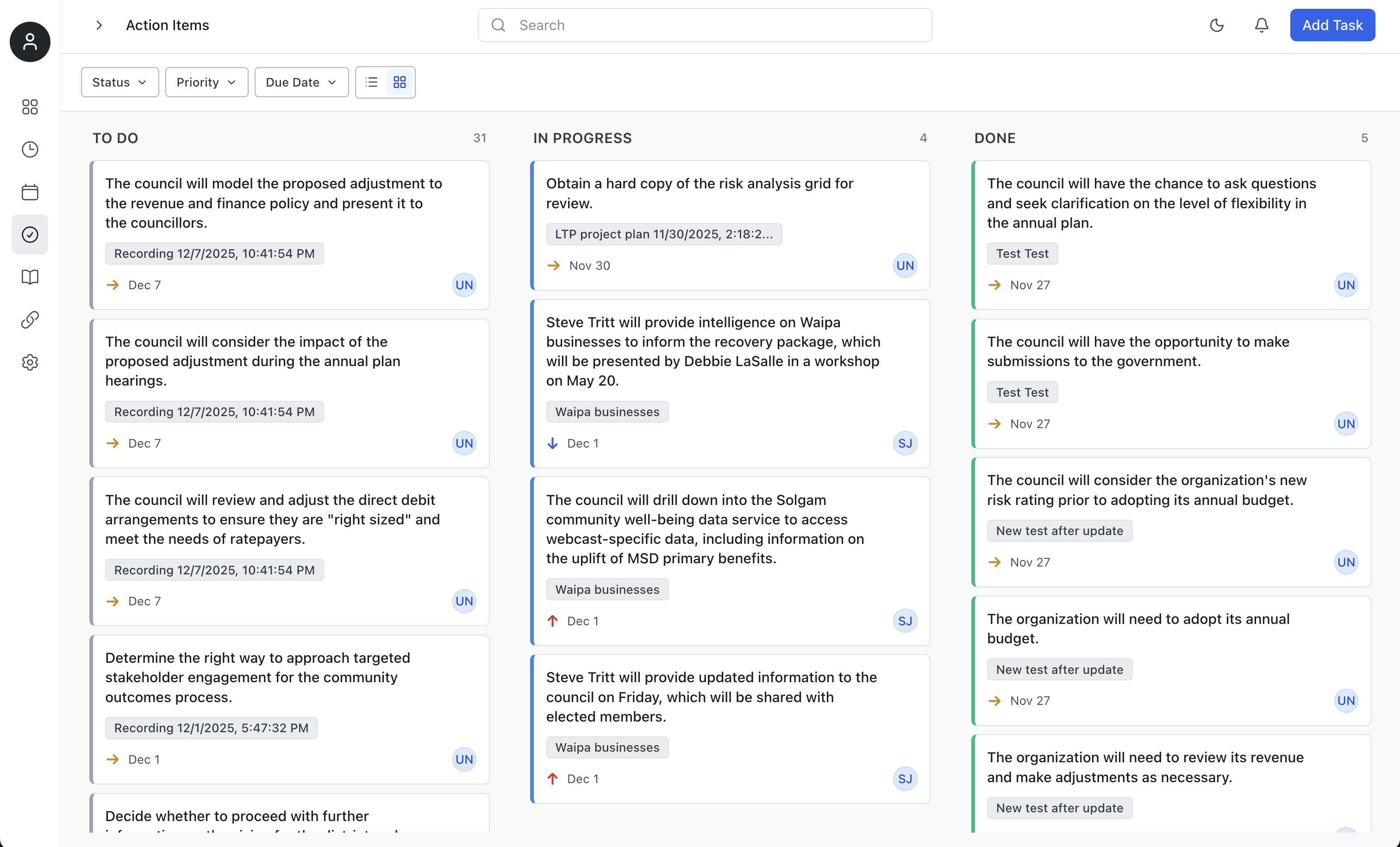
Turn Meetings Into Action Items
Every meeting recording automatically generates action items in your board. Track tasks across TO DO, IN PROGRESS, and DONE columns. Filter by status, priority, or due date. Action items are intelligently extracted from conversations, assigned dates, and organized so nothing falls through the cracks.
Works seamlessly with your favorite platforms
No bots, no installations. ArrowZ captures audio directly from your device, working with any meeting platform you use.
Privacy-First by Design
Local Processing
All transcription, AI analysis, and data storage happens on your device. Nothing is sent to external servers.
No Cloud Uploads
Your meeting recordings and transcripts never leave your computer. Complete control over your data.
Content Protection
Optional screen capture protection keeps your meeting assistant invisible during screen shares—perfect for sensitive discussions.
Your data. Your control. Always.